Showing posts with label Google Chrome. Show all posts

Wednesday, 5 March 2014

Chrome Beta For Android Lets You Send Web Videos To Your Chromecast


Want to stream any web video from your smartphone to your Chromecast? Grab the beta release of Chrome 34 for Android. The browser includes experimental support for sending embedded clips to Google's media stick, saving you from launching a native app just to watch something on a TV. As you'd expect, there are some compatibility hiccups at this early stage. YouTube works well (surprise!), but other sites are hit and miss -- you're best off sticking to videos from major, HTML5-friendly hosts like Vimeo.

Source:Google Chrome Releases
Read More
Posted on 02:21
Categories: , , ,

Vudu Will Soon Let You Send Movies To Your Chromecast


There isn't exactly an abundance of major movie services that will send video to a Chromecast; for the most part, Google Play Movies and Netflix still rule the roost. It's a good thing, then, that Vudu has announced plans to support the TV media adapter through both updated mobile apps and Chrome on the desktop. The provider won't say just when Chromecast support is coming other than "soon," but early adopters can register for a beta test.

Source:Vudu Blog
Read More
Posted on 02:11
Categories: ,

Friday, 28 February 2014

Chrome's Hands-free Voice Search Is Coming To Everyone, No Add-on Required


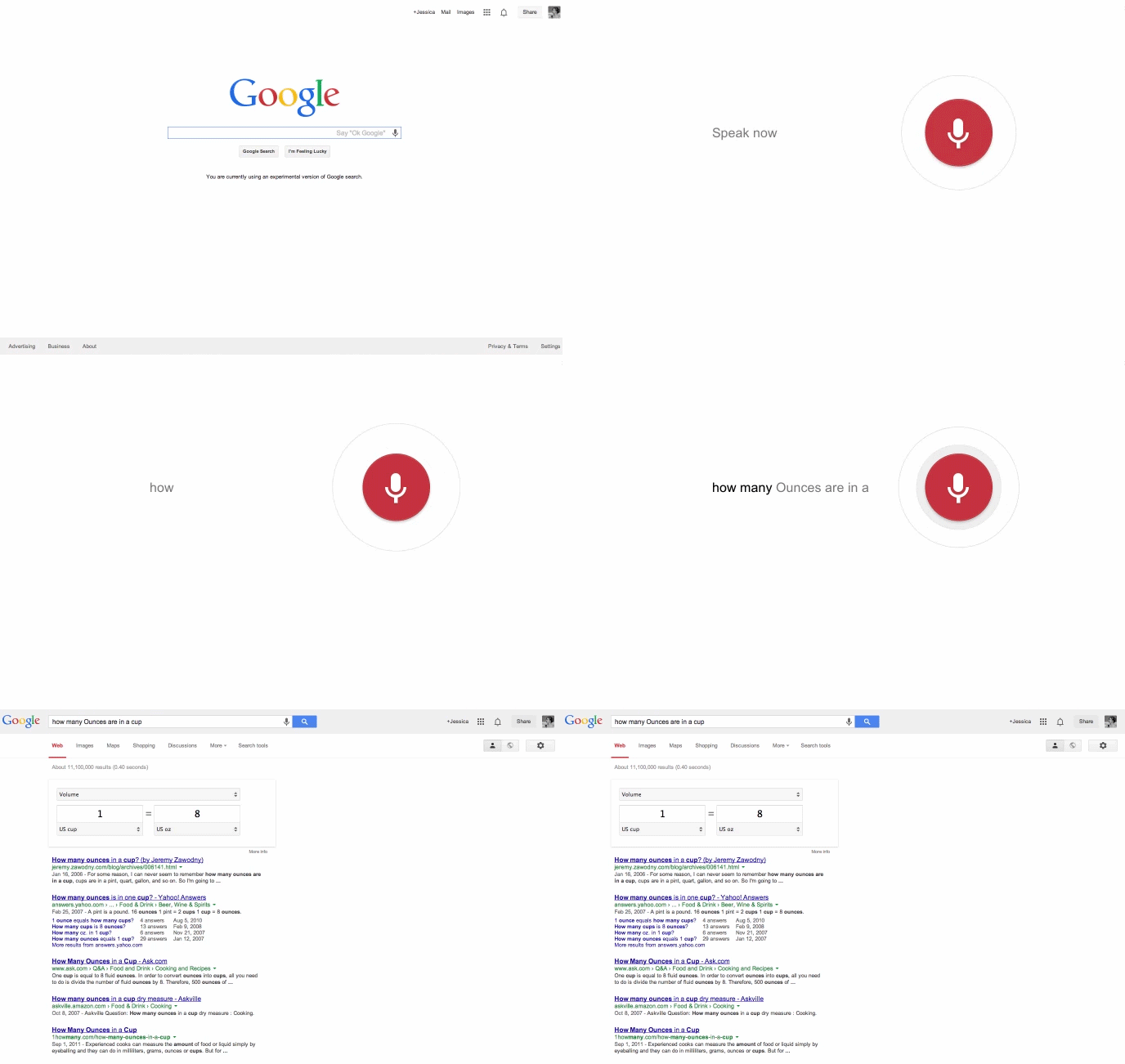
If you've wanted hands-free Google voice search (à la Android's Now Launcher) on the desktop, you've so far had to install a Chrome extension. No more -- the company has released a Chrome beta that builds the feature into the browser. Any time you visit the Google homepage or open a new tab, you can say "OK Google" to ask a question or perform a command, such as scheduling a reminder.

Here are a few examples to get you started:

  • Perform searches: Say “Ok Google, how many ounces are in a cup?” 
  • Set a timer: Say “Ok Google, set a timer for 30 minutes” 
  • Create a reminder for Google Now: Say “Ok Google, remind me to pick up dessert at 6pm tonight”
To enable this feature, visit Google.com, click on the mic icon, then click on “Enable Ok Google:"


Here’s what it looks like in action:


Read More
Posted on 16:56
Categories: , ,